Shopify Store Launch Checklist for First-Time Sellers (US/UK/CA/AU)

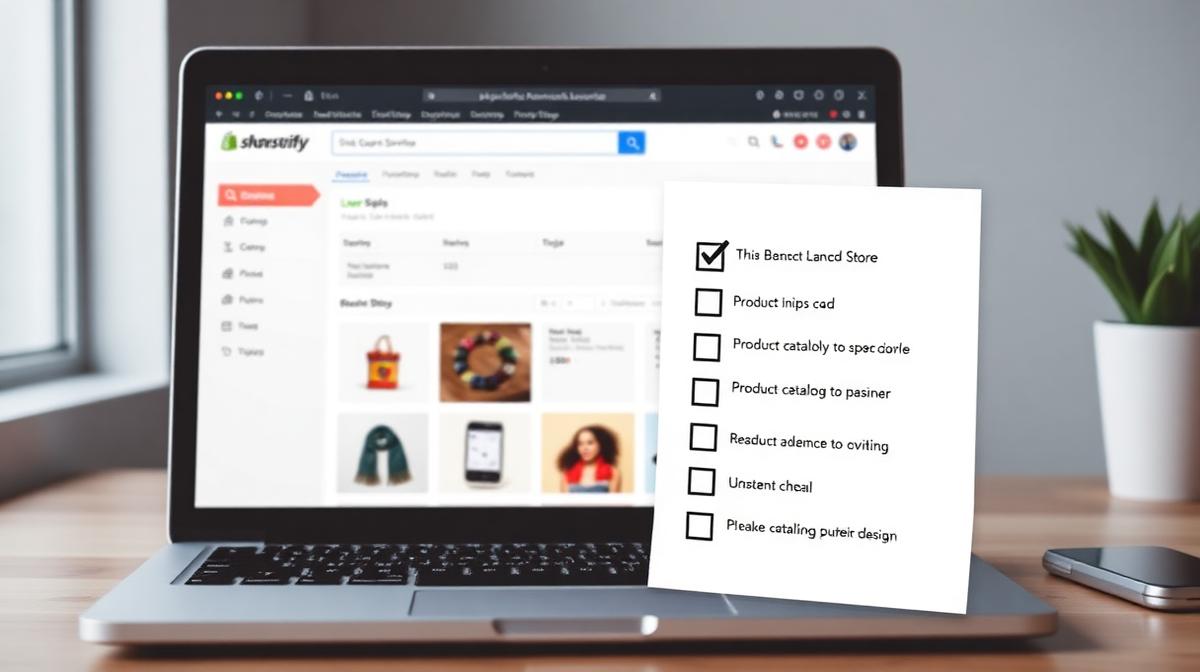
Launching your first Shopify store is an exhilarating journey, but it can quickly become overwhelming. With countless settings, apps, and design choices, missing critical steps is easy, potentially costing you sales from day one. This comprehensive shopify store launch checklist is designed to guide you through every essential phase, ensuring a smooth and successful debut for your online business.
Whether you're targeting customers in the US, UK, Canada, or Australia, this guide will help you lay a solid foundation. We'll cover everything from initial setup to crucial pre-launch checks and your first marketing steps.
01Phase 1: Your Essential Shopify Store Launch Checklist - Foundation & Setup
Before you even think about design or uploading products, getting these fundamental elements right is paramount. This foundational work ensures your store is legally compliant, financially sound, and ready for growth.
1. Choose and Register Your Domain
- Pick a brandable name: Aim for something short, memorable, and easy to spell. Avoid hyphens, numbers, and overly generic terms that might confuse customers.
- Check availability: Verify that the .com domain is available. For specific markets, consider .co.uk for the UK, .com.au for Australia, or .ca for Canada.
- Register your domain: You can register directly through Shopify or use a separate registrar like Namecheap, which often offers competitive renewal rates.
- Set up professional email: Create a branded email address (e.g., info@yourbrand.com). Free options like Zoho Mail or forwarding services through your domain registrar are excellent starting points.
2. Select Your Shopify Plan
Shopify offers various plans tailored to different business needs. Choosing the right plan is crucial for managing costs and accessing necessary features.
- Basic Shopify: Ideal for new stores or those testing product-market fit. Costs USD 39/month with a 2.9% + 30¢ transaction fee.
- Shopify: Suited for growing stores needing professional reports. Priced at USD 105/month with a 2.6% + 30¢ transaction fee.
- Advanced Shopify: Best for high-volume stores and international selling, offering advanced reporting and lower transaction fees (USD 399/month, 2.4% + 30¢).
Pro tip: Start with the Basic plan. You can always upgrade as your business scales. The 14-day free trial allows you to set up your entire store without immediate financial commitment.
3. Configure Payment Gateways
Enabling secure and diverse payment options is vital for customer trust and conversion. Shopify Payments is the default and often most convenient option, but consider others.
- Activate Shopify Payments: This streamlines transactions and avoids additional transaction fees (if not using third-party gateways).
- Add alternative methods: Consider PayPal, Apple Pay, Google Pay, and even local payment options relevant to your target markets.
4. Set Up Legal Pages
Transparency and legal compliance are non-negotiable. These pages build trust and protect both you and your customers.
- Privacy Policy: Detail how customer data is collected, used, and protected.
- Terms of Service: Outline the rules and conditions for using your store.
- Refund Policy: Clearly state your return and refund procedures.
- Shipping Policy: Explain shipping costs, methods, and delivery times.
02Phase 2: Store Design, Products & Shipping
This phase of your shopify store launch checklist focuses on bringing your brand to life with compelling design and accurate product information.
1. Choose and Customize Your Theme
Your theme is the face of your brand. Select one that aligns with your aesthetic and functionality needs.
- Select a responsive theme: Ensure it looks great and functions perfectly on all devices, especially mobile.
- Customize branding: Upload your logo, choose brand colors, and select appropriate fonts.
- Design key pages: Create compelling home, about us, and contact pages.
2. Upload and Organize Products for Your Shopify Store Launch Checklist
High-quality product listings are crucial for driving sales. Therefore, pay close attention to detail here.
- Add product details: Include compelling titles, detailed descriptions, and accurate pricing.
- Use high-quality images/videos: Showcase your products from multiple angles.
- Manage inventory: Set up stock levels and SKU numbers.
- Organize collections: Group similar products to enhance navigability.
3. Configure Shipping and Taxes
Incorrect shipping and tax settings can lead to abandoned carts and legal issues. Moreover, clear policies are essential for international clients.
- Set up shipping zones and rates: Define where you ship and how much it costs, considering different regions (e.g., US, UK, CA, AU).
- Integrate shipping carriers: Connect with services like USPS, Royal Mail, Canada Post, or Australia Post.
- Configure tax settings: Ensure your store automatically calculates and applies correct sales taxes based on your location and customer's location. For example, VAT for the UK or GST for Australia.
03Phase 3: Pre-Launch Testing & Optimization
Before going live, thorough testing is non-negotiable. This step helps catch any errors that could impact the customer experience and is a crucial part of your shopify store launch checklist.
1. Test Your Store Thoroughly
- Place a test order: Go through the entire purchase process, from adding to cart to checkout, using a test payment gateway.
- Check all links and buttons: Ensure everything is clickable and directs to the correct page.
- Verify mobile responsiveness: Browse your store on various devices to confirm a seamless experience.
2. Implement Basic SEO for Your Shopify Store Launch Checklist
Optimizing your store for search engines helps customers find you. This is a critical part of any successful store launch.
- Optimize product titles and descriptions: Use relevant keywords.
- Write compelling meta titles and descriptions: For your homepage, collections, and key product pages.
- Submit your sitemap to Google: Help search engines discover your pages. Learn more about Shopify SEO best practices.
04Phase 4: Finalizing Your Shopify Store Launch Checklist & Post-Launch Strategy
Finally, it's time to go live and start attracting customers! The final steps in your shopify store launch checklist involve announcing your presence and setting up for continuous growth.
1. Announce Your Launch
- Leverage social media: Create excitement and direct traffic to your new store.
- Send email campaigns: Notify your subscribers about your grand opening and any special offers.
2. Set Up Analytics
Understanding your store's performance is key to continuous improvement.
- Integrate Google Analytics: Track traffic, conversions, and user behavior.
- Monitor Shopify analytics: Utilize built-in reports for sales and customer insights.
Launching a Shopify store is a significant undertaking, but with this detailed shopify store launch checklist, you're well-equipped for success. However, navigating the complexities of international e-commerce, advanced SEO, and bespoke design can still be challenging.
If you're looking for expert assistance to ensure your store not only launches flawlessly but also thrives globally, InfiniCore DataWorks is here to help. Our team specializes in crafting high-converting Shopify experiences for international clients. Explore our services or contact us today to discuss how we can accelerate your e-commerce journey and turn your vision into a profitable reality.

Md Jamrul Mia
Founder, InfiniCore DataWorks · Senior E-commerce & Data Specialist
10+ years of freelancing experience and 500+ projects delivered for clients across the US, UK, Canada, Australia & Europe. Top Rated on Upwork (4.9★) and 5.0 on Fiverr — specializing in data entry, web scraping, e-commerce operations, AI automation, and web development.
Comments (0)
No comments yet — be the first to share your thoughts.
Leave a Comment
Hire a Freelance Data Entry Specialist: Red Flags, Pricing & Vetting Checklist
Automate Etsy Product Listings with CSV Import: Step-by-Step (2026)
Related Articles

VA SOP Library for E-Commerce Operations
A ready-to-use library of Standard Operating Procedures (SOPs) for virtual assistants managing e-commerce stores.

Shopify vs WooCommerce in 2026: Honest Comparison for US, UK, CA, AU & EU
Choosing between Shopify and WooCommerce? This data-driven comparison covers pricing, features, scalability, SEO, and market fit across five regions — so you can pick the right platform for your business.