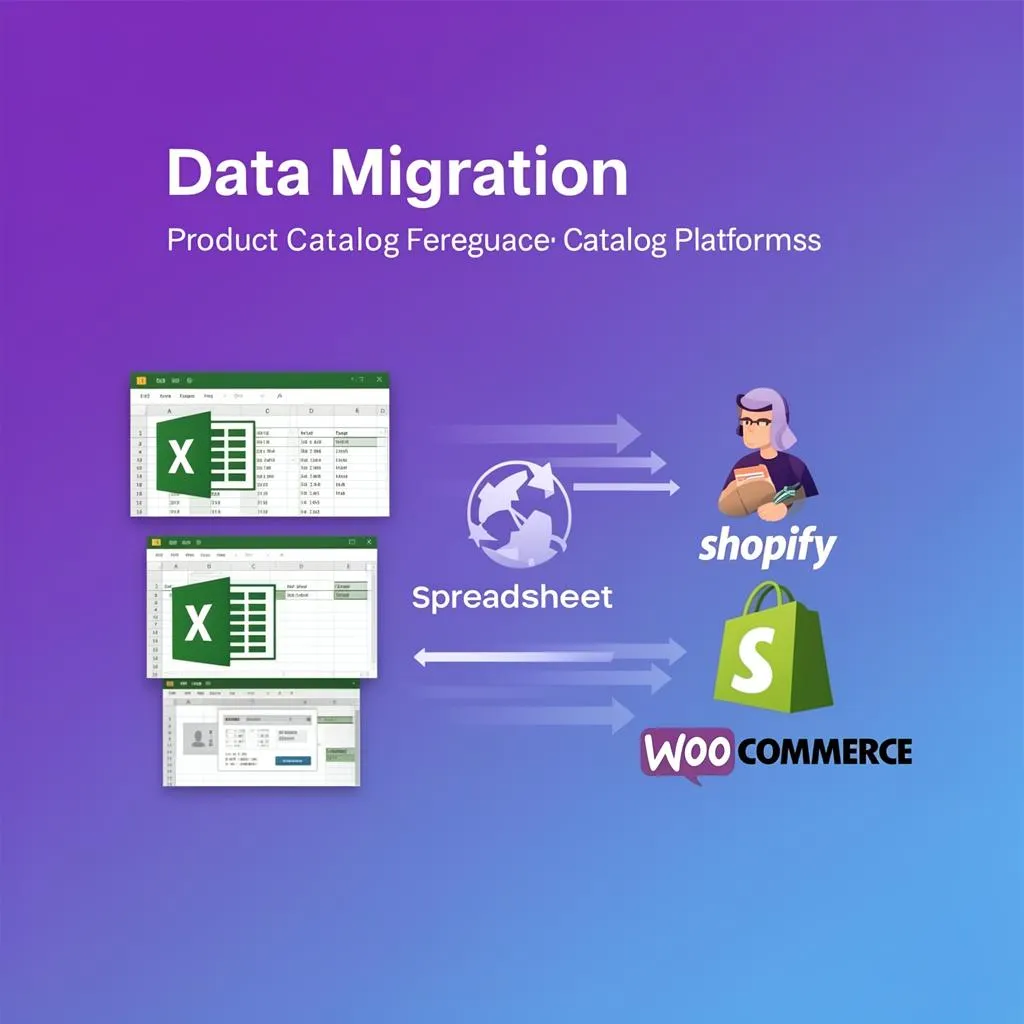
Digital Commerce ScalingFeb 24, 2026

Migrate Product Data to Shopify or WooCommerce Without Losing Sales (2026 Guide)

Md Jamrul MiaInfiniCore DataWorks14 min read3,591 wordsUpdated: Jun 8, 2026
Migrate Product Data to Shopify or WooCommerce Without Losing Sales (2026 Guide)
Md Jamrul Mia — Founder & CEO
By Md Jamrul MiaFounder & CEO
Published: Last updated: 14 min read3,591 words
About the author

01Mastering Product Data Migration: Your Ultimate Guide to a Seamless Transition

This comprehensive guide delves into the intricacies of product data migration—what it entails, its significance, and how to implement it effectively. Whether you're transitioning to Shopify or WooCommerce, understanding the nuances of product data is critical for maintaining your online business's integrity and performance.

02The Importance of Product Data Migration

Your product data is the cornerstone of your online store, encompassing essential elements such as SKUs, descriptions, pricing, imagery, SEO metadata, and customer reviews. A poorly executed migration can lead to:

  • Revenue Loss: Broken product pages can prevent customers from purchasing your items.
  • SEO Damage: Incorrect redirects or lost metadata can drastically reduce your search visibility, erasing years of optimization efforts.
  • Customer Frustration: Inaccurate product information, missing images, or unavailable variants can tarnish your brand's reputation.
  • Operational Disruptions: Inaccurate inventory levels or pricing can cause fulfillment issues and financial setbacks.

A successful product data migration safeguards your business's future while ensuring a smooth transition to a new platform.

03Phase 1: Conducting a Comprehensive Pre-Migration Audit

Before initiating any data transfer, it is crucial to perform a thorough audit of your existing product data. This foundational step helps you identify what you have, what needs to be retained, and what requires cleaning. Without this audit, you're at risk of migrating flawed data, which can create further complications.

Inventorying Existing Data Points

Begin by cataloging all relevant information associated with your products, such as:

  • Product Names & Titles
  • SKUs (Stock Keeping Units)
  • Product Descriptions (short and long)
  • Pricing (original, sale, comparison)
  • Inventory Levels
  • Product Categories & Types
  • Product Tags
  • Variants & Options (size, color, material)
  • Images & Videos (URLs, alt text)
  • SEO Meta Titles & Descriptions
  • URL Slugs/Handles
  • UPCs/EANs/ISBNs
  • Manufacturer/Brand Information
  • Weight, Dimensions, Shipping Class
  • Custom Fields/Attributes
  • Related Products/Upsells/Cross-sells
  • Customer Reviews & Ratings
  • Purchase History (if applicable)

Cleaning and Consolidating Data

This step is crucial for ensuring data integrity. Old platforms often accumulate inconsistencies over time, so this is your opportunity to rectify them. Look for:

  • Duplicate SKUs or product entries
  • Inconsistent category structures (e.g., "T-Shirts" vs. "Tees")
  • Outdated pricing or product information
  • Missing images or broken image links
  • Incomplete product descriptions or missing SEO fields
  • Inconsistent variant naming conventions

For more detailed guidance, refer to our article on How to Clean Messy Ecommerce Product Data.

04Phase 2: Data Mapping – Crafting a Blueprint for Success

Data mapping is the process of aligning existing data fields from your source platform with the new data fields in Shopify or WooCommerce. This step is crucial, as it dictates how smoothly your product data will migrate.

Aligning Source and Target Fields

Both Shopify and WooCommerce have specific data structures and required fields. It's imperative to meticulously match your source data to these predefined fields. For any custom fields, you may need to create new ones in your chosen platform.

Example Data Mapping Table:

Source Platform Field Shopify Field WooCommerce Field Notes
Product_Name Title Name Direct match.
Prod_Description_HTML Body (HTML) Description (HTML) Ensure HTML tags are preserved.
SKU_Code SKU SKU Must be unique.
Price_USD Price Regular price Numeric value, without "USD".
Sale_Price_USD Compare at Price Sale price Used for showing discounts.
Stock_Qty Inventory Quantity Stock quantity Must be an integer.
Product_Category Product Type Categories Shopify uses 'Product type', WooCommerce uses 'Categories'.
Variant_Size Option1 Name (Size) Attributes (Size) Map individual variant option values.
Image_URL1 Image Src Images (URL) Ensure URLs are live and accessible.
SEO_Title_Tag Meta Title Meta title Max characters apply.
Product_Page_URL Handle Post slug Used for URL generation.
Brand_Name Vendor Product attributes (Brand) Shopify uses 'Vendor'.

Handling Variants and Options

Managing product variants can be particularly challenging. Shopify and WooCommerce have different methodologies:

  • Shopify: Supports up to three options (e.g., Size, Color, Material) per product. Each unique combination forms a distinct variant, complete with its own SKU, price, and inventory.
  • WooCommerce: Offers greater flexibility with attributes and variations, allowing you to define global attributes or custom product attributes. Each variation also has its own SKU, price, and stock.

Careful mapping is essential to prevent variants from being incorrectly imported as separate products or losing their attributes.

05Phase 3: Data Export and CSV Formatting – Preparing for Import

After cleaning and mapping your data, the next step is to export it from your source platform and format it into a CSV (Comma Separated Values) file compatible with your target platform.

Source Platform Export

Most ecommerce platforms offer export functionalities. Aim to export as much data as possible, including fields you may not immediately need, as they can be useful for cross-referencing later.

  • Custom Exports: If available, create a custom export that aligns with your data mapping.
  • Full Database Export: For complex migrations, a full database export (e.g., SQL dump) may be necessary for developers to extract specific data.

CSV Formatting for Shopify

Refer to Shopify's official CSV template for guidance. Key considerations include:

  • Required Columns: Handle, Title, Body (HTML), Vendor, Type, Tags, Published, Option1 Name, Option1 Value, Option2 Name, Option2 Value, Option3 Name, Option3 Value, SKU, Grams, Stock, Inventory Policy, Variant Price, Compare At Price, Requires Shipping, Taxable, Image Src, Image Alt Text, SEO Title, SEO Description, and Google Shopping fields.
  • Variants: Each variant of a product occupies a separate row but shares the same 'Handle'.
  • Images: Provide full URLs to images hosted elsewhere or leave blank to upload them later. Shopify can also fetch images from URLs in the CSV.
  • For a comprehensive checklist, visit our Shopify Product Upload Checklist.

CSV Formatting for WooCommerce

WooCommerce typically uses its own CSV format, often managed through the built-in importer or a plugin like WP All Import. Key considerations include:

  • Required Columns: ID, Type, SKU, Name, Published, Is featured?, Visibility in catalog, Short description, Description, Date sale price starts, Date sale price ends, Tax status, Tax class, In stock?, Stock, Backorders allowed?, Sold individually?, Weight (kg), Length (cm), Width (cm), Height (cm), Allow customer reviews?, Purchase note, Sale price, Regular price, Categories, Tags, Shipping class, Images, Download limit, Download expiry, Parent, Grouped products, Upsells, Cross-sells, External URL, Button text, Position, Attribute 1 name, Attribute 1 value, Attribute 1 visible, Attribute 1 global, Meta: _yoast_wpseo_title, Meta: _yoast_wpseo_metadesc.
  • Variants: Variations are linked to their parent product via the 'Parent' SKU/ID field. Each variation has its own row.
  • Images: Provide full URLs to images, separated by commas if multiple. WooCommerce will download and attach them automatically.

Key Differences in CSV Handling:

Feature Shopify CSV WooCommerce CSV (Default Importer)
Product/Variant Row Structure Parent product and its variants share a 'Handle' and occupy separate rows. Parent products have 'type: simple', variations link to parent via 'Parent' column.
Image Handling Image URLs in 'Image Src' column, fetched during import. Alt text in 'Image Alt Text'. Image URLs in 'Images' column (comma-separated), fetched during import. No dedicated 'Alt Text' column in default.
Categories/Tags 'Product Type' (single value), 'Tags' (comma-separated). 'Categories' (comma-separated), 'Tags' (comma-separated).
Custom Fields Metafields are usually added post-import or via specific apps. Custom fields imported via 'Meta:' prefix in header or via advanced importers like WP All Import.
SEO Metadata Dedicated 'SEO Title' and 'SEO Description' columns. Uses 'Meta: _yoast_wpseo_title' and 'Meta: _yoast_wpseo_metadesc' if Yoast SEO is active.

06Phase 4: Preserving SEO During Migration

One of the greatest fears during a platform migration is losing hard-earned SEO rankings. This phase focuses on meticulous planning to prevent such losses.

The Crucial Role of 301 Redirects

When URLs change during a migration (which they almost always do), implementing 301 redirects is essential. A 301 permanent redirect informs search engines that a page has permanently moved to a new location. Without these redirects, old backlinks can lead to 404 errors, significantly diminishing your SEO value.

Steps for Implementing 301 Redirects:

  1. Map Old URLs to New URLs: Generate a comprehensive list of all current product URLs and match them with the new URLs after importing products to the new platform.
  2. Implement Redirects:
    • Shopify: Navigate to Online Store > Navigation > View URL Redirects. You can import redirects via CSV or add them manually.
    • WooCommerce: Use a plugin like "Redirection" or modify your .htaccess file (for Apache servers) or Nginx configuration directly.
  3. Prioritize: Redirect all product pages, category pages, and important content pages. Don’t forget image URLs if they change.

Maintaining URL Structure and SEO Metadata

  • URL Slugs/Handles: Keep your URL structure as similar as possible. If an old URL was /product/product-name, aim for something similar like /products/product-name on Shopify or /product/product-name on WooCommerce.
  • Meta Titles & Descriptions: Ensure these are accurately migrated as they play a crucial role in click-through rates (CTR) from search results.
  • Alt Text for Images: Don’t overlook image alt text, which contributes to image SEO and accessibility.
  • Canonical Tags: Ensure canonical tags are correctly implemented on your new platform to avoid duplicate content issues.

07Phase 5: Image and Media Migration

Product images and videos are critical for sales, and high-quality media can significantly enhance conversion rates. Proper migration of these assets is essential.

Methods for Image Transfer

  • CSV Import with URLs: Both Shopify and WooCommerce can fetch images if you provide their current live URLs in your CSV. This is often the simplest method if your old images are publicly accessible.
  • Manual Upload: For a small number of products or images, you can manually upload them. However, this method becomes impractical for larger catalogs.
  • FTP/SFTP Transfer (WooCommerce): If your old host allows it, you can download all images via FTP/SFTP and then upload them to your new WooCommerce host's media library.
  • Third-Party Apps/Services: Specialized migration tools can often handle image transfer automatically.

Preserving Image SEO (Alt Text)

As previously mentioned, alt text is vital for image SEO. Ensure your CSV or migration process includes the alt text for each image. If not, you will need to manually re-enter this information, which can be a daunting task for large catalogs.

08Phase 6: Migrating Customer Data and Order History

While this guide focuses on product data, a comprehensive migration often includes customer data and order history. This aspect is crucial for continuity in customer service and marketing efforts.

Customer Data

  • Required Fields: Name, Email, Addresses (billing/shipping), Phone.
  • Password Handling: Passwords are typically hashed and cannot be directly migrated. Customers will usually need to reset their passwords on the new platform. Be sure to communicate this clearly to them.
  • Consent: Ensure you have the necessary legal basis and customer consent to transfer their data, especially under regulations like GDPR and CCPA.

Order History

  • Importance: Essential for repeat purchases, customer service queries, and understanding customer lifetime value.
  • Fields: Order ID, Customer ID, Order Date, Items Ordered (Product ID, Qty, Price), Total Amount, Shipping Method, Payment Status, Order Status, Billing Address, Shipping Address.
  • Complexity: Migrating order history can be complex due to varying data structures between platforms and often requires custom scripting or specialized migration tools.

09Phase 7: Rigorous Testing Before Launch

Before going live, rigorous testing is vital to catch any errors that could lead to lost sales or a poor customer experience.

Pre-Launch Testing Checklist

Category Checklist Item Status
Product Data All products imported? (Count comparison)
Prices & inventory accurate?
Variants/options displaying correctly and purchasable?
Product descriptions & images rendered properly?
Categories/collections functioning?
Search functionality accurate?
SEO & Redirects 301 redirects working for old URLs? (Spot check 100+ URLs)
Meta titles & descriptions present and correct?
Canonical tags correctly implemented?
Image alt text present?
Customer Experience Can new customers register?
Can existing (migrated) customers log in (after password reset)?
Can customers add to cart & checkout successfully? (Test with multiple payment gateways)
Integrations Payment gateways connected and working?
Shipping carriers connected and calculating rates?
Any third-party apps (email, CRM, ERP) integrated and synced?

User Acceptance Testing (UAT)

Involve a small group of internal users or trusted external testers to navigate the new store as if they were real customers. Have them perform common tasks and purchase products while reporting any issues they encounter.

10Phase 8: Go-Live and Post-Migration Quality Assurance

The launch is just the beginning of the post-migration phase, where ongoing monitoring is essential for success.

Launch Day Checklist

  • DNS Propagation: Update DNS records to point to the new store and monitor propagation.
  • Final Data Sync: If applicable, perform a final delta sync for any new orders or product changes that occurred during the migration window.
  • Analytics Setup: Ensure Google Analytics, Google Search Console, and any other tracking tools are correctly implemented and firing.
  • Disable Old Store: Once you're confident, take the old store offline or redirect all traffic to the new one.

Continuous Monitoring & Optimization

  • Broken Link Checks: Use tools like Screaming Frog or Google Search Console to identify and fix any broken links or 404 errors.
  • SEO Performance: Monitor keyword rankings, organic traffic, and crawl errors in Google Search Console. Expect fluctuations, but actively address significant drops.
  • Sales & Conversion Rates: Keep a close eye on sales figures and conversion rates, addressing any anomalies quickly.
  • Customer Feedback: Be proactive in collecting and responding to customer feedback regarding the new site.
  • Load Speed: Optimize your new store's loading speed, as it is critical for user experience and SEO.

11Choosing Your Platform: Shopify vs. WooCommerce Migration Features

The choice between Shopify and WooCommerce can significantly impact your migration process. Here’s a brief comparison of key migration considerations:

Shopify Migration Considerations

  • Closed Ecosystem: Shopify is a SaaS platform, which means less control over server environments but also less maintenance required on your part.
  • Structured Data: Shopify enforces a more rigid data structure, which can simplify mapping if your source data is clean but may challenge you if it's highly customized.
  • Apps for Migration: A variety of third-party apps in the Shopify App Store can assist with data import beyond the basic CSV format.
  • Scalability: Designed for scalability, you won’t need to worry about server resources as your store grows.

WooCommerce Migration Considerations

  • Open Source & Flexible: As a WordPress plugin, WooCommerce offers immense flexibility and customization, giving you greater control over data structure and hosting.
  • Requires WordPress Expertise: A solid understanding of WordPress and potentially server configurations is beneficial for a smooth migration.
  • Plugins for Migration: Robust plugins like WP All Import/Export can serve as powerful tools for complex WooCommerce data migrations.
  • Hosting Responsibility: You are responsible for hosting and server performance, which directly impacts scalability.

Platform Comparison for Migration:

Feature Shopify WooCommerce Migration Impact
Data Structure More rigid, predefined fields. Highly flexible, custom post types/meta. Shopify requires careful mapping; WooCommerce allows more flexible matching.
CSV Import Tool Built-in, suitable for basic product data and variants. Built-in, along with robust third-party plugins (e.g., WP All Import) for complex needs. WooCommerce often offers more sophisticated CSV support via plugins.
Image Handling Can fetch from URLs via CSV; stores in Shopify CDN. Can fetch from URLs via CSV; stores in WordPress Media Library. Image hosting handled by the platform/host; ensure URLs are accessible.
Custom Fields Uses Metafields, which can be cumbersome to import via CSV. Custom fields (ACF) can be easily integrated and imported via plugins. Easier to migrate complex custom data to WooCommerce.
SEO Redirects Built-in URL redirect manager. Requires .htaccess editing or a redirect plugin. Shopify's tool is simpler for non-technical users.
Developer Support REST Admin API and GraphQL API for programmatic migration. WordPress database interaction and REST API for WP/WC. Both offer robust API access for custom migration scripts.
Pricing Subscription-based (starting from approximately USD 29/month). Free plugin, but incurs hosting, domain, and potential plugin costs (ranging from USD 10-100+/month). Migration costs are separate, but platform costs can vary.

12When to Consider Outsourcing Product Data Migration

While this guide provides a roadmap, the reality of product data migration can be overwhelming, especially for large catalogs or complex data structures. Here are some considerations for outsourcing:

  • Large Product Catalogs: Thousands of products with numerous variants.
  • Complex Data: Highly customized fields, multiple languages, intricate pricing rules.
  • Time Constraints: A need to go live quickly without disrupting operations.
  • Lack of Internal Expertise: No dedicated team members familiar with data manipulation, CSV formatting, or platform specifics.
  • Risk Aversion: Minimizing the risk of data loss, SEO damage, or sales disruption.

At InfiniCore DataWorks, we specialize in seamless ecommerce data migrations, ensuring your product data is not only transferred but also optimized for your new platform. We handle the complexities so you can focus on what you do best—running your business. Learn more about the advantages of outsourcing in our blog post on the best way to outsource Shopify product uploads.

Looking for more expert insights and tools to grow your business? Check out these carefully curated resources:

14Frequently Asked Questions About Product Data Migration

How long does a typical product data migration take?

The duration varies significantly based on the volume of products (e.g., 100 vs. 100,000), the complexity of the data (variants, custom fields), and the cleanliness of the source data. A small, clean catalog might take days, while a larger, more complex one could take weeks or even months to complete.

Can I migrate product reviews and ratings?

Yes, migrating product reviews and ratings is possible but requires special attention. Both Shopify and WooCommerce have built-in review systems, or you can use third-party apps (e.g., Yotpo, Loox, Judge.me). The migration typically involves exporting reviews from the old platform and importing them via CSV into the new platform's review system, which can be complex depending on the app used.

Do I need to put my store offline during migration?

Ideally, no. A typical strategy is to perform the bulk of the migration to a staging or development environment of the new store while the old store remains live. Only during the final "cutover" will there be a brief period of downtime (minutes to hours) as DNS changes propagate and a final sync of recent orders or changes is executed.

What happens to my old product URLs?

Your old product URLs will likely change. Implementing 301 permanent redirects from every old product URL to its corresponding new URL is crucial. This action preserves SEO value and enhances user experience. Without redirects, users and search engines will encounter 404 "page not found" errors.

Is it possible to migrate customer accounts with their passwords?

No, generally not. Due to security protocols (passwords are stored as one-way hashed values), customer passwords cannot be directly migrated. Customers will need to reset their passwords on the new platform, so it's important to communicate this to your customer base before and after launch.

What about my blog posts and static pages?

While this guide focuses on product data, migrating blog posts and static pages (e.g., About Us, Contact Us, Privacy Policy) is also critical. These should be exported and imported separately (often through WordPress exporter/importer for WooCommerce or manually/via apps for Shopify) and will also require 301 redirects if their URLs change.

Should I use a professional migration service like InfiniCore DataWorks?

For businesses with large product catalogs, complex data structures, limited internal resources, or a high dependency on uninterrupted sales and SEO, outsourcing to a professional service is highly recommended. It minimizes risk, saves time, and ensures expert handling of essential data.

Can I migrate my inventory quantities accurately?

Yes, inventory quantities are standard data points for migration. However, if your migration takes several days or weeks, your live store's inventory may change. It is essential to perform a final, near real-time sync of inventory just before the new store goes live or pause sales on the old store briefly during the final sync.

What if my source platform doesn't allow CSV export?

If a direct CSV export isn't available, you’ll need to explore other options:
1. API Extraction: If the source platform has an API, data can be programmatically extracted.
2. Database Access: For self-hosted platforms, direct database access (e.g., MySQL dump) can be used to pull data.
3. Scraping Tools: As a last resort, data scraping tools might be employed, though this is less reliable and could violate terms of service.

How much does product data migration cost?

The cost varies widely. For a small, simple store, it might be a few hundred USD if done internally with basic tools. For larger, more complex stores requiring professional services, the cost could range from several thousand USD to tens of thousands, depending on the scope, number of products, data complexity, and specific service provider.

15Conclusion: Your Sales Secured with InfiniCore DataWorks

Migrating your product data to Shopify or WooCommerce is a strategic decision that can unlock new growth opportunities for your business when executed correctly. Success hinges on meticulous planning, robust data management, and a relentless focus on preserving your SEO and customer experience. By following the comprehensive steps outlined in this guide—from exhaustive pre-migration audits and precise data mapping to rigorous testing and vigilant post-launch monitoring—you can ensure a smooth transition without losing sales.

At InfiniCore DataWorks, we specialize in making these complex migrations seamless and stress-free. Our data experts ensure your most valuable asset—your product data—is transferred accurately and efficiently, with minimal disruption. Don’t let the fear of migration hold you back; partner with us to guarantee a successful move to your new ecommerce platform.

© 2023 InfiniCore DataWorks. All rights reserved.

Md Jamrul Mia

Md Jamrul Mia

Founder, InfiniCore DataWorks · Senior E-commerce & Data Specialist

10+ years of freelancing experience and 500+ projects delivered for clients across the US, UK, Canada, Australia & Europe. Top Rated on Upwork (4.9★) and 5.0 on Fiverr — specializing in data entry, web scraping, e-commerce operations, AI automation, and web development.

Comments (0)

No comments yet — be the first to share your thoughts.

Leave a Comment

Comments are moderated before they appear.